 cave.
cave.Your wine cellar, shared.
Cave keeps track of the bottles you own and the ones you've opened. Scan a label to add a bottle. Ask the Somm what to open tonight. See what your friends are pouring.
Free. Runs in your phone's browser and installs to your home screen. Nothing to download from an app store.
The bottles you own, the ones you've opened, and the people you open them with.
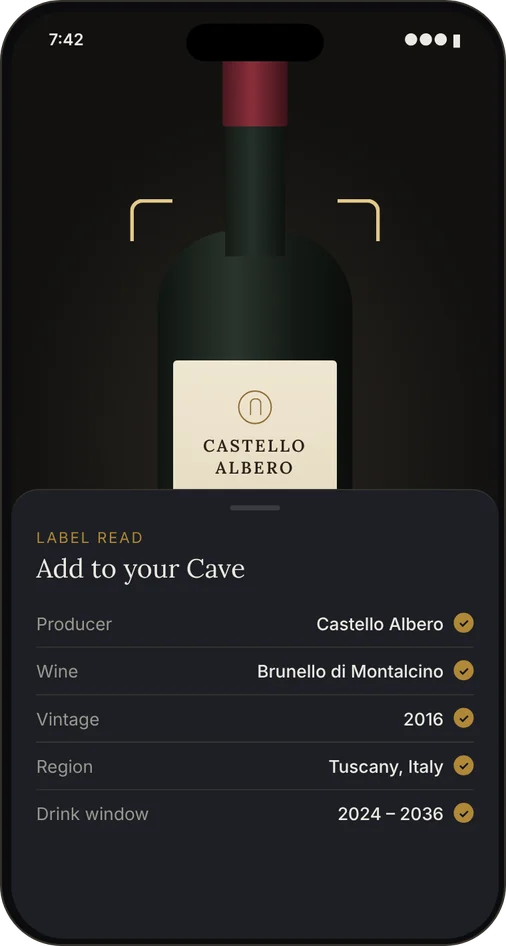
Point your camera at the label.
Cave reads the producer, wine, vintage and region, and suggests a drinking window. You check the fields, fix anything it got wrong, and save.
- Works for bottles in your rack and bottles you want to remember for later.
- Add a flavor profile (body, tannin, acidity, sweetness, fruit, oak) and adjust it to how the wine actually tasted.
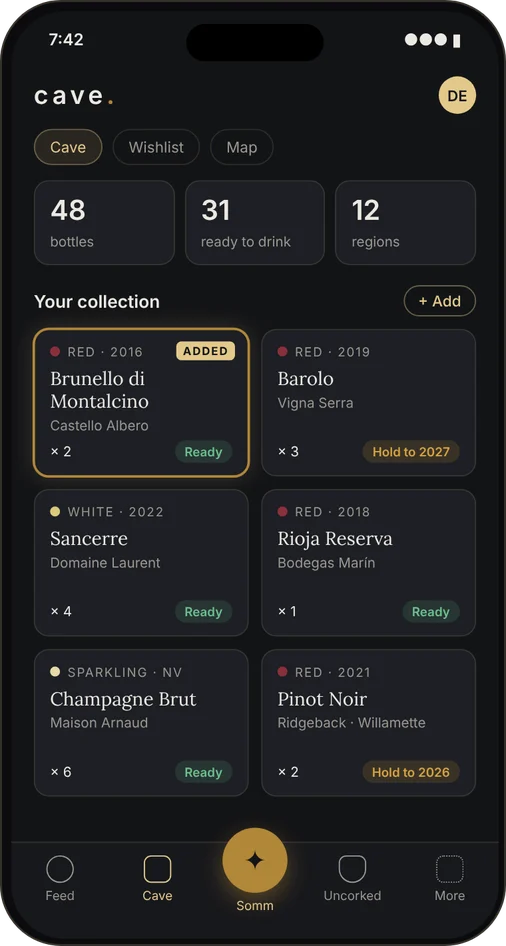
Every bottle you own, in your pocket.
Your cellar lives in the Cave tab, an ode to historic storage caves around the world. Quantities, ratings and notes, with each bottle marked ready to drink or worth holding.
- Wishlist for bottles you've tried somewhere and want to find again.
- Map of where your wines come from.
- Filter by type or producer when the collection gets big.
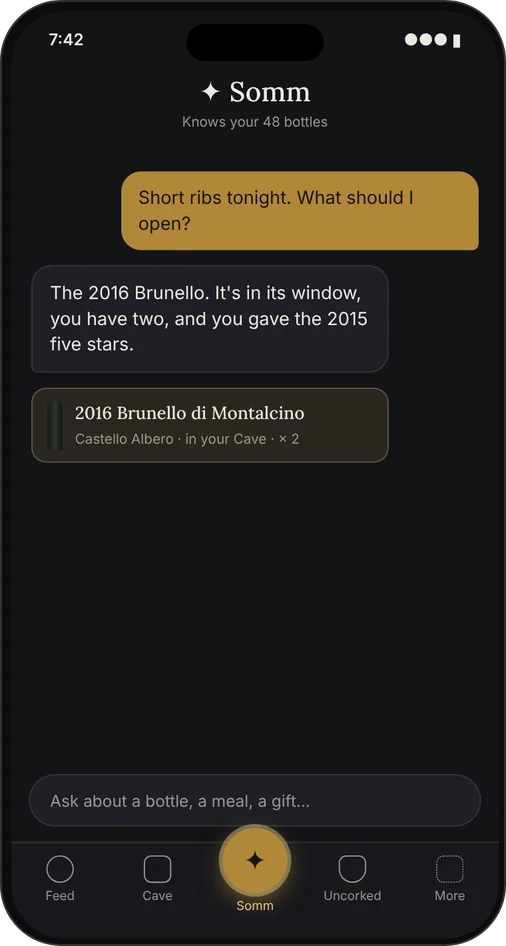
Ask what to open. It already knows what you have.
The Somm answers from your cellar, your ratings and the wines you've liked before. Ask what goes with dinner and it suggests a bottle you own that's ready to open.
- Gift mode: pick a bottle for a friend based on what they've rated well.
- Wine List: photograph a restaurant's list and get it ranked for your taste.
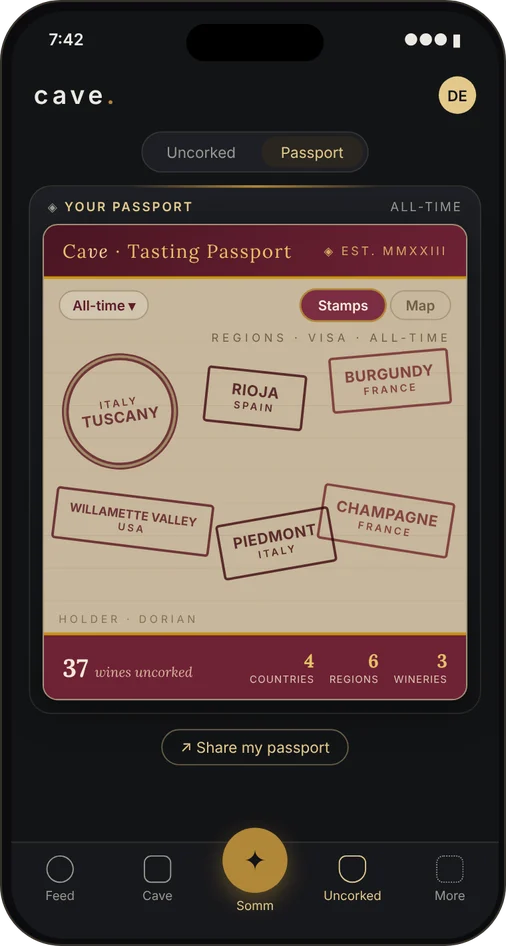
A stamp for every region you drink.
Log every bottle you open in Uncorked: the rating, the date, who you drank it with. Your Tasting Passport fills in from those bottles and the wineries you visit, one stamp per region.
- Flip between stamps and a world map, all-time or year by year.
- Share your passport as an image.
- Visited a winery? Log the visit and what you tasted there.
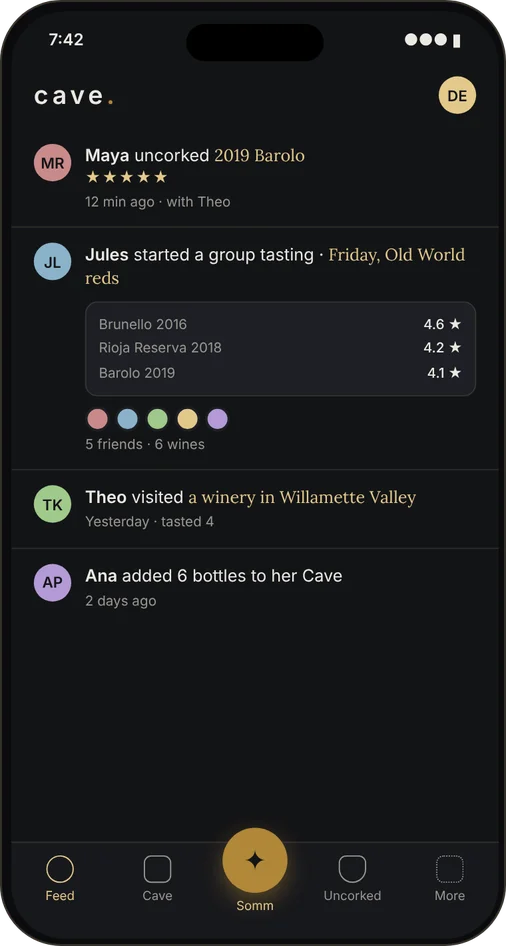
See what your friends are pouring.
Follow friends to see what they open and add, browse their cellars, and tag each other on bottles you shared. Everyone keeps their own rating and notes.
- Group Tastings: set up a flight, everyone rates each wine, and Cave lines the scores up side by side.
- Blind mode hides the labels until the reveal.
- Invite a friend with a link and they land ready to follow you back.
Two minutes from here to your first bottle.
Create an account
Email and password. Confirm your email and you're in.
Put Cave on your home screen
It opens full-screen like any other app.
Scan your first bottle
Tap + Add, point at the label, check the fields, save. Then invite whoever you drink with.
Free.
Everything on this page is free today.
- Unlimited bottles
- Label scanning
- Somm, Gift mode, Wine List
- Uncorked & Passport
- Friends & feed
- Group Tastings
Cave Plus
A paid tier is planned for people who lean on the Somm a lot, since that's what costs money to run.
Your cellar, Uncorked, Passport, friends and tastings stay free.
Questions people ask
Is there an App Store or Play Store app?
No. Cave is a web app: it runs in Safari or Chrome and installs to your home screen, where it opens full-screen with its own icon. Same account on your phone and your computer.
What can other people see?
Only friends you've accepted can see your cellar, Uncorked log, wishlist, winery visits and Passport. Your Cave isn't open to everyone on the app. Friends see you by the display name you pick in your profile.
What if the label scan gets something wrong?
You see every field before anything is saved, and you can edit a bottle any time after. You can also add bottles by hand.
Where does the Somm get its answers?
From your cellar, your Uncorked history and ratings, and your wishlist, along with general wine knowledge. It's a language model, so treat it like a well-read friend, not the last word.
Do my friends need Cave too?
For the social parts, yes. Send them an invite link from your profile and they'll land on sign-up, ready to follow you back. Cave works fine on your own too.
What does it cost?
Nothing right now. A paid Cave Plus tier for heavy Somm use is planned. The cellar, Uncorked, Passport, friends and Group Tastings stay free.